Server Maintenance Checklist - Part 1
Introduction
Regular maintenance of your dedicated server is vital and can often prevent a small issue turning into a lengthy outage. Whilst this article is aimed at those with “unmanaged” dedicated servers it is worth bearing in mind that some managed providers will not carry out all of the checks below for you so if you do have a “managed” dedicated server it is worth asking your provider what regular checks they carry out for you as part of their management.
Fraction Servers systems are unmanaged by default meaning the customer is responsible for taking their own backups and monitoring services and the general health of the server. We regularly receive calls from customers in a panic that their server is offline only to find that the disk space has reached capacity or their database is corrupt and their backups stopped working two months ago!
As a result of this as part of regular maintenance we would recommend you look at these ten key areas when carrying out maintenance on your server, the first five of which we are going to look at in this article:
- 1) Backups
- 2) Raid Status
- 3) Disk Utilisation and Performance
- 4) Monitoring of Resources
- 5) Monitoring of Services
- 6) OOB Access
- 7) Software and Operating System Updates
- 8) Log File Analysis
- 9) Password Rotation
- 10) Pruning Old Users Accounts
1 - Backups
Everyone is aware of the importance of backups however the number of customers that still contact us having experienced data loss and having no backups is remarkable! After a fire at the OVH datacentre in Strasbourg in March 2021 we received an influx of customers wanting fast deployment of servers after they were told on Twitter by the company’s chairman “To activate your Disaster Recovery Plan” however very few of the customers that contacted us had backups stored outside the OVH datacentre.
2 - RAID Monitoring
There are a number of key points you should consider when it comes to backups on your server. Your backups should be:
2 - RAID Monitoring
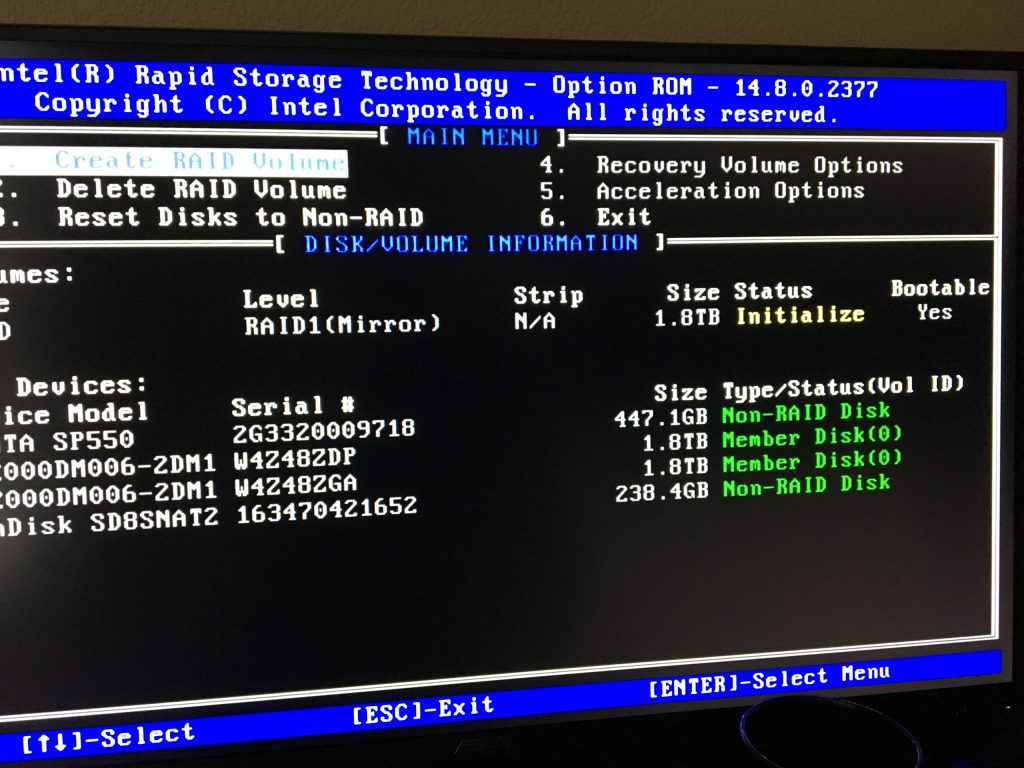
Most customers running production environments in their servers opt for “mirrored” drives to store their data on. At Fraction Servers we only use Supermicro hardware and all of our servers come with hotswappable drives, meaning that if your drives are in “mirrored” RAID and have a failure we can simply swap out the failed drive and replace it with a new disk without taking your server offline
We are always surprised at the number of customers coming from other providers that don’t have any sort of RAID monitoring setup! When you order a server from Fraction Servers you will be sent details on how you can monitor the RAID array and this is something you should do.
3 - Disk Utilisation and Performance
Whilst making sure your RAID is in an optimal state is vital to the uptime and stability of your server ensuring that your disks are performing adequately for your application is also important. Almost all ecommerce website hosting will be improved by switching from HDD storage to SSDs. There are basic dd and hdparm tests that can be used to see how the drives are performing in your server. We often find customers come to us requesting CPU upgrades however often their high CPU load is traced back to slow disk I/O.
4 - Monitoring of Resources

When Fraction Servers parent company first started offering dedicated servers back in 2004 our entry level dedicated server was a single core 800Mhz Pentium III CPU with 64Mb RAM however nowadays most of us have more RAM in our mobile phones than this! As demand for applications and content grows so does the resources that these applications consume, it’s vital to ensure that you monitor the CPU, RAM, Disk Usage and I/O activity of your server to ensure you know when it’s nearing time to upgrade before your applications start to slow.
5 - Monitoring of Services
Monitoring of your website is vital, if there is a problem you need to know about it before your customers do rather than just crossing your fingers and blindly hoping for uptime proper service utilisation metrics can provide you with an insight into both the performance and health of your systems.
The best monitoring systems will not only look at if a process is in a running state but provide detailed statistics regarding that process. For example with an apache webserver you want to know that the process is running however monitoring memory usage, connections and other metrics will provide further insights into your server performance and help to identify issues before they occur (for example increases in connections that might be the sign of an attack)
Whether you are responsible for an array of remote virtual powering a busy ecommerce site or manage a single dedicated server for running your favourite online game, spending a few minutes checking that your backups are working correctly, reviewing your monitoring and logs can save much stress and time diagnosing issues at a later date. In the second article we will look at how keeping your server up to date and reviewing security is vital to ensure the smooth running of your applications.